Complete your first task
You're preparing an internal team workshop. Turn short notes into a summary and then a task table. You don't need a connected integration for this exercise.
1. Open a new chat
Select New chat on the left. Click the Message Arqent … field.
2. Enter your task and notes
Copy the entire request below into the input field. You can use the fictional details as they are.
Summarize these meeting notes into decisions, tasks and open questions.
Include owners and deadlines only when explicitly stated. Mark missing
information as open. Reply in English.

Sample notes: internal team workshop
All details are fictional practice data.

Goal: Select three improvements to the way we work together.
Participants: Eight people. Duration: 90 minutes.

Decisions:
- The workshop will take place online.
- The results will be recorded in a shared overview.

Tasks:
- The team coordinator will draft an agenda by October 15.
- The facilitator will collect topics from the team in advance.
- Someone should record the results during the workshop.

Open points:
- The exact workshop date has not been set.
- The person responsible for documentation has not been chosen.
- No deadline has been agreed for collecting topics.
You can also download the notes as a text file.
3. Send the request
Click the Send arrow. While the response is being created, Arqent displays Generating answer …. Use Stop response to end a response in progress.
4. Review the result
Compare the summary with your notes:
- Are both decisions included?
- Is October 15 assigned only to the agenda draft?
- Are the owner for documentation and the deadline for collecting topics still open?
- Has the answer avoided inventing a workshop date?
Your response may be worded differently. What matters is that the information has been carried over accurately.
5. Refine it in conversation
Enter this follow-up request in the same conversation:
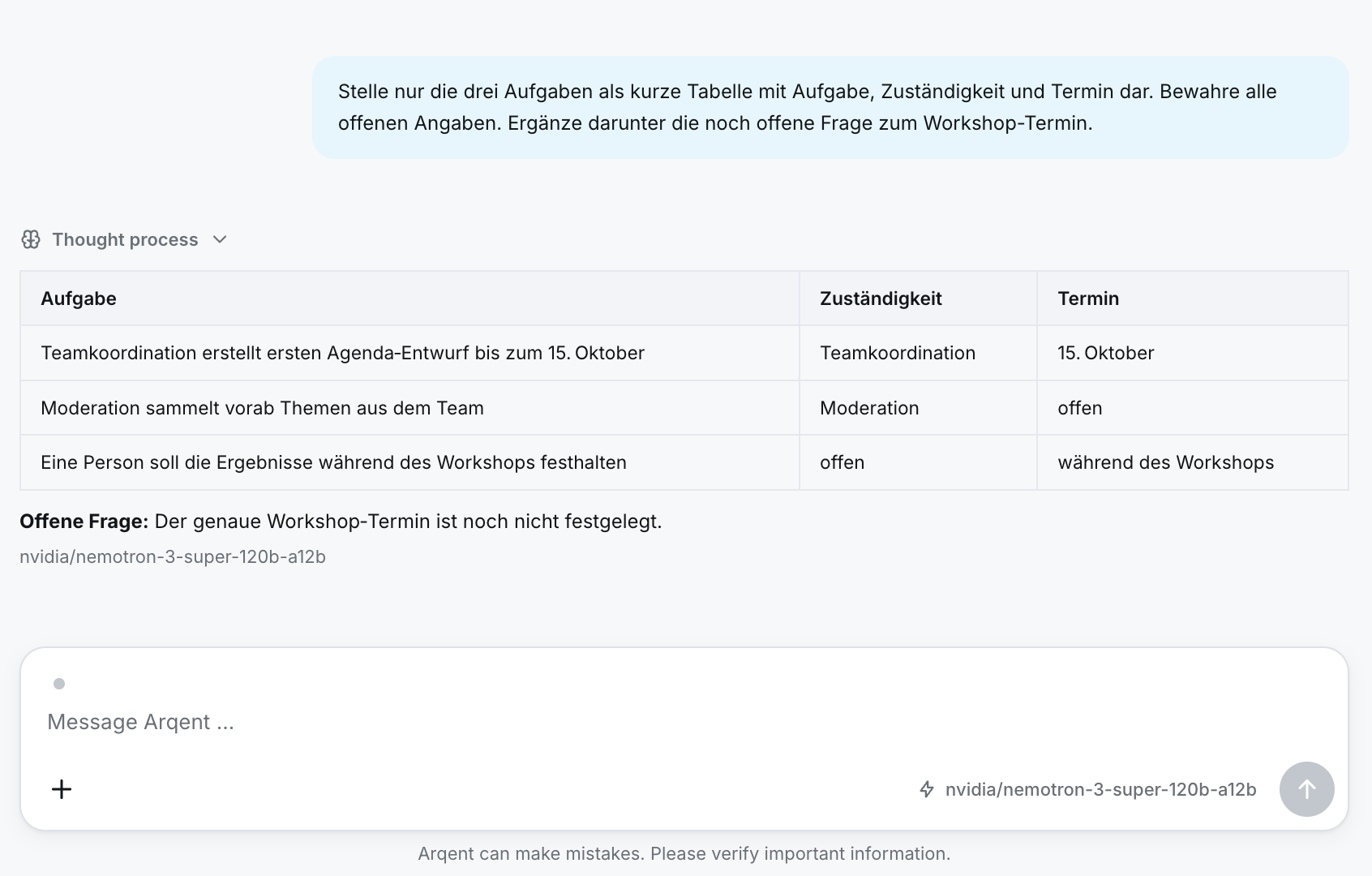
Show only the three tasks in a short table with task, owner and deadline.
Keep all missing information marked as open. Below the table, add the
remaining question about the workshop date.
6. Use the result
Select Copy on the response to use it in your working documents. You can find the conversation again in the sidebar's chat history.
You've completed your first workflow
You described a task, provided context, reviewed the result and requested a specific improvement.
Keep learning: Work with a document or assign a task to an Operator.